
AI Ad Management: What It Is and How It Works
Learn what AI ad management is, how automation and orchestration improve ad operations, and what teams managing Meta, TikTok, and Google Ads should expect
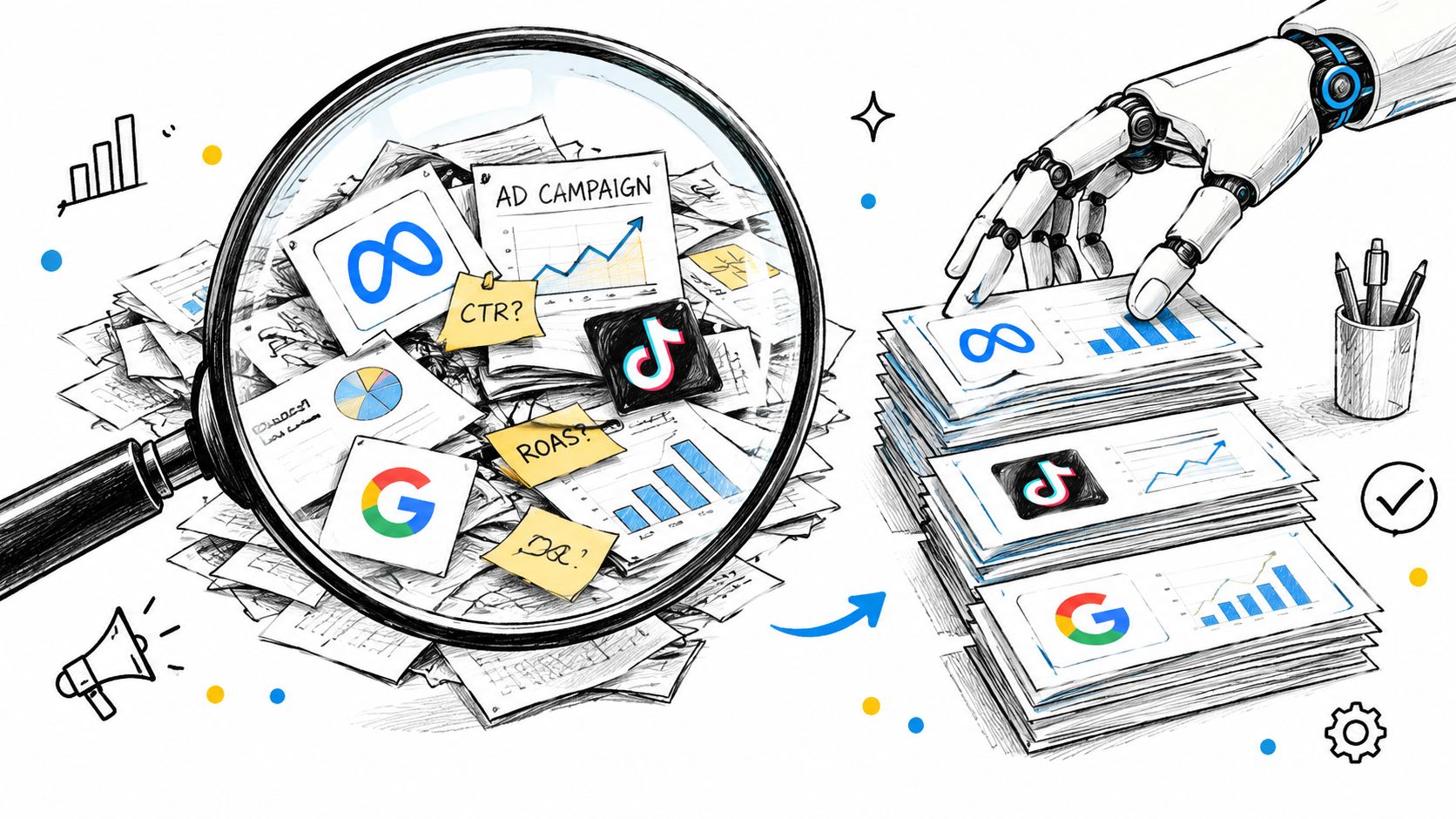
You’re looking at three platforms, several client accounts, and a performance report that says one campaign is running out of budget while another is wasting spend. The report can point to the problem, but you still have to open the right account, find the right campaign, check whether the change is safe, and make it yourself.
That gap between noticing and acting is where AI ad management matters. It isn’t just a dashboard with predictions or a prompt that says “optimize.” It’s an operating layer that can read advertising data, propose decisions, and, within clear limits, change live campaigns.
Table of Contents
- What AI Ad Management Actually Means
- The Four Working Parts of an AI Ad System
- AI Ad Management vs Traditional Dashboards
- Core Capabilities Teams Should Expect
- Benefits and Risks in Real Campaigns
- A Practical Rollout for Small Teams
- Why Governance Is the Real Product
What AI Ad Management Actually Means
Running campaigns across Meta, TikTok, and Google means switching between different interfaces, metrics, and account structures. A performance dip may show up in one report, while the action that could address it lives somewhere else. A system that only summarizes the dip saves some analysis time, but it hasn’t closed the loop.
AI ad management is software that can read account data, reason about what it means, and take controlled actions on advertising campaigns. The important word is controlled. A useful system doesn’t receive unlimited permission to change spend or targeting. It acts within rules set by the team, and it should make clear what it’s proposing and what it changed.
Three layers to recognize
It helps to separate three kinds of capability. Automation handles repeatable jobs, such as checking pacing or flagging a campaign that has stopped delivering. Orchestration connects accounts and platforms so teams can work across them without rebuilding the same process for each interface. Decision agents interpret context, suggest an action, and may carry it out when their permissions allow.
These layers aren’t interchangeable. A dashboard can report that a campaign is underperforming without being able to pause it. A rules engine can pause a campaign when a condition is met, but may not understand a brand-specific exception. An agent can interpret the situation and propose a pause, but it still needs reliable data and well-defined permissions.
When evaluating a demo, ask what happens after the system identifies a problem. Does it only display a chart? Can it draft a change? Can it submit a change to the advertising platform, and does that action require approval? The answers reveal whether you’re seeing a reporting layer, an automation layer, or an execution layer.
The same distinction matters in other forms of advertising. For a related perspective on AI’s role in audio campaigns, see how AI improves podcast ads. The central question remains practical: what can the system see, what can it change, and who is accountable for the result?
The Four Working Parts of an AI Ad System
An AI ad system isn’t one model that magically understands every account. It’s a set of connected components. When one part is missing, the operator often feels it as a familiar kind of friction: repeated manual work, mismatched data, vague recommendations, or risky changes.
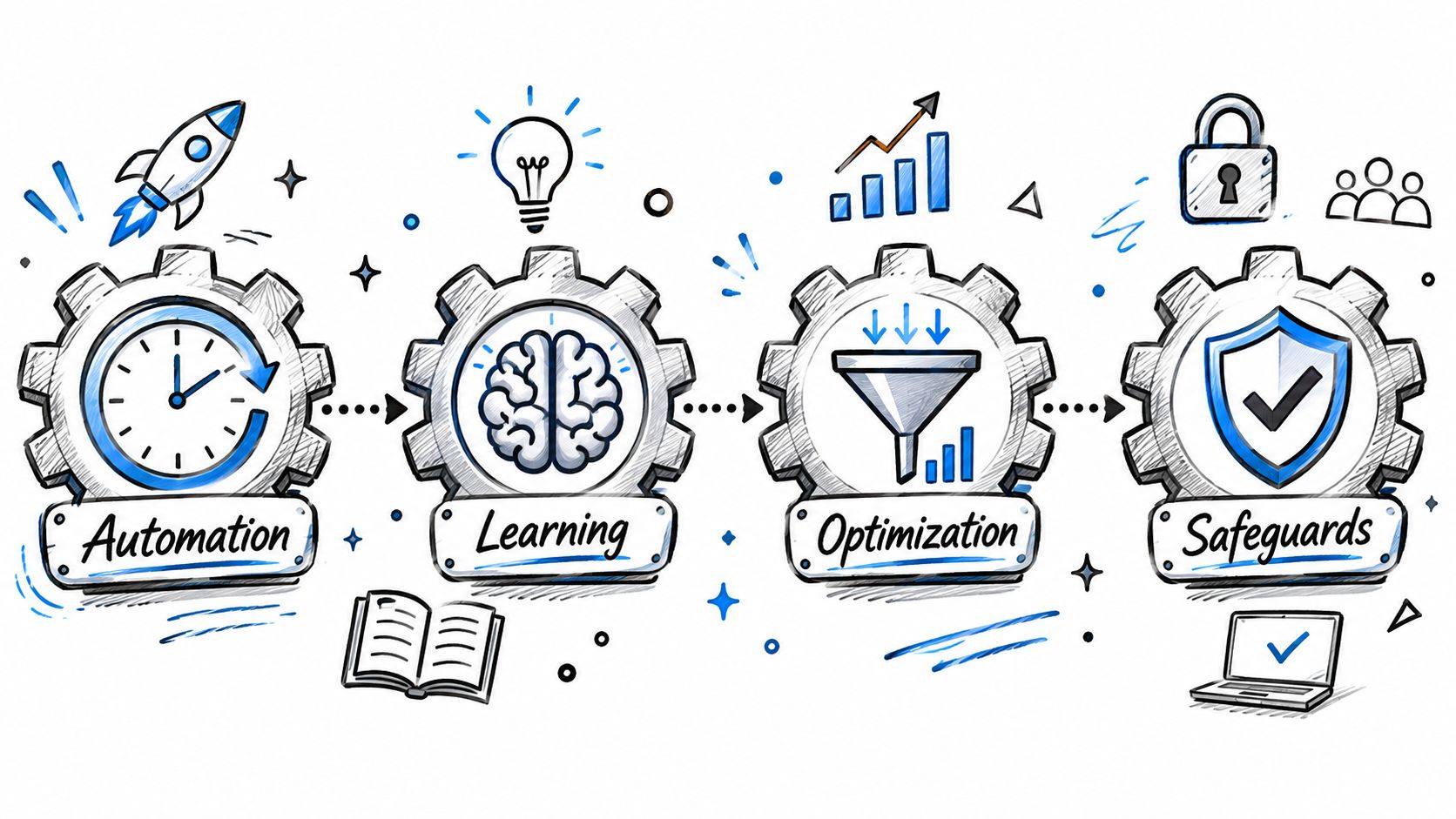
Automation and orchestration
Automation is the repeatable work. A script can check whether campaigns have reached a pacing threshold or apply a routine naming convention. It’s useful when the task is clear and the same rule should apply consistently. It’s less useful when context matters, such as whether a short-term performance change is expected during a promotion.
Orchestration brings accounts and platforms into a consistent workflow. Without it, a system may receive one platform’s campaign data in a different shape from another’s and confuse unlike metrics. A practitioner shouldn’t have to translate every platform’s account structure before asking a basic question about campaign status.
Decision agents and governance
A decision agent interprets the request and the available context. If someone asks it to pause an ad set, it should identify the intended account and entity, check the relevant performance information, and clarify ambiguity rather than guessing. The agent may propose an action or, if permitted, execute it.
Governance determines what the agent is allowed to do. The team might allow it to pause an ad but prohibit targeting changes, or permit a budget adjustment only after approval. Governance also includes keeping a reliable record of the request, the change, and the outcome.
A practical way to evaluate a tool is to ask which of these parts it owns and which it relies on elsewhere. Does it provide a cross-platform connection, or only a chat interface? Can the agent distinguish a recommendation from an executed change? For a closer look at how agent workflows fit into marketing operations, see this guide to AI agents for marketing.
Practical rule: If a vendor can’t explain how an action moves from request to validation to platform write, treat its “autonomy” claims cautiously.
AI Ad Management vs Traditional Dashboards
A traditional dashboard tells you what happened. An execution-capable system can help you decide what to do and carry out an approved change. That difference is easiest to see in routine campaign work.

Suppose one campaign is close to exhausting its budget while another has room to spend and is meeting its goal. With a dashboard, you inspect the report, decide whether a transfer makes sense, open the platform, locate both campaigns, and update their budgets. An AI system with write access can bring the same information into one workflow, prepare the proposed reallocation, and either request approval or make the change within a permitted limit.
The other common example is pausing a weak creative. A dashboard can flag falling efficiency, but a person still has to check whether the data is current, confirm the correct ad, and pause it. An execution layer can prepare that specific action with the campaign context attached. The team still needs to decide whether the signal justifies a change, especially if results are delayed or the ad is in a learning phase.
Programmatic advertising provides useful context for why operational handling matters. Global programmatic ad spending was estimated at about $595 billion in 2024, with spending forecast to approach $800 billion by 2028. The figures and forecast are reported in Statista’s overview of programmatic advertising. Automated buying already operates at large scale, so a slow or error-prone handoff between analysis and action can matter across many campaigns.
This video offers another view of how campaign work and automation fit together:
When comparing tools, look for explicit write capabilities, not just words such as “optimization” or “AI-powered.” A system that can only generate a report may still be useful, but it shouldn’t be mistaken for one that can act on live campaign settings.
Core Capabilities Teams Should Expect
A vendor conversation gets clearer when you separate what the system can read, what it can write, and what it must never do without control. Use the checklist below to test the actual product rather than the demo language.
| Capability area | What to look for | Red flag |
|---|---|---|
| Read scope | Account structure and performance data presented consistently across connected platforms | The vendor can’t say which accounts or metrics the agent can access |
| Write scope | Clear support for specific changes, such as pausing or resuming an entity or adjusting a budget | “Optimization” is promised without a list of supported actions |
| Approval controls | Human review for sensitive or uncertain actions, with defined permission boundaries | The system can write to live accounts with no approval options |
| Safe creation | New campaigns or ads start paused until a person checks them | New entities can spend immediately without review |
| Restrictions | Explicit limits on deletions, targeting changes, and other high-impact edits | Write access is broad, but the product doesn’t describe its boundaries |
| Audit trail | A durable record of the request, account, change, origin, and outcome | Teams can’t reconstruct who changed what or why |
| Credentials | Credentials are handled server-side and aren’t exposed to the language model | The vendor can’t explain where credentials are stored or how actions are executed |
Check the connection, not just the chat
The conversational interface might live in a vendor’s own product, or connect to an external assistant such as Claude, ChatGPT, or Cursor. Either way, ask how the agent is authenticated, where credentials are kept, and whether it can execute an action beyond the permission granted by the connected account.
A clear answer should also distinguish between access to read data and authority to write changes. Google Ads, for example, offers API access for retrieving performance data and managing accounts and campaigns; its documentation describes uses such as custom reporting and campaign adjustments in the Google Ads API introduction. That flexibility makes scope and validation important, not optional.
Creative workflows deserve similar care. If your team is reviewing creator-style assets, an image-to-UGC video guide can help clarify the production side. It doesn’t replace the need to check what an ad-management agent can do with the resulting campaign or ad.
Benefits and Risks in Real Campaigns
The upside of an agent is easy to describe: it can shorten the distance between noticing a problem and addressing it. The risk is equally concrete: a system with broad permissions can make a live change that nobody intended. Both outcomes come from the same capability, the ability to act.
When the agent catches waste
A media buyer notices that a creative’s return is weakening. The agent checks the relevant campaign data, drafts a pause for the specific ad, and waits for approval rather than changing the account immediately. The buyer verifies the context, approves the pause, and the system records the action so the team can inspect it later.
The benefit isn’t that the agent knows the future. It’s that it can organize evidence and prepare a bounded action without making the operator repeat account-navigation work. For teams deciding how to shift spend responsibly, a structured approach to ad budget optimization can help keep performance decisions tied to the campaign’s objective rather than a single appealing metric.
When permissions outrun intent
Now consider a different setup. Someone asks for a campaign adjustment in ambiguous terms, and an over-permissioned agent interprets the request as authorization to change a bid. The change affects live delivery before the team catches it. A clear activity log helps the team reconstruct the event, but an audit record doesn’t prevent the unwanted action by itself.
That’s why teams should pair each permission with a matching control. A request to “improve performance” shouldn’t grant open-ended authority. The agent should identify the intended entity and change, pause for clarification when instructions are unclear, and stay within the limits the team has set.
Faster action only helps when the system can prove what it changed and respect the boundaries around the change.
Programmatic buying makes it easier to automate transactions, but buyers still need to decide how much control to delegate. For more context on the mechanics and trade-offs, review these advanced programmatic buying tactics. Treat automation as a way to support operator judgment, not as a substitute for ownership of the campaign.
A Practical Rollout for Small Teams
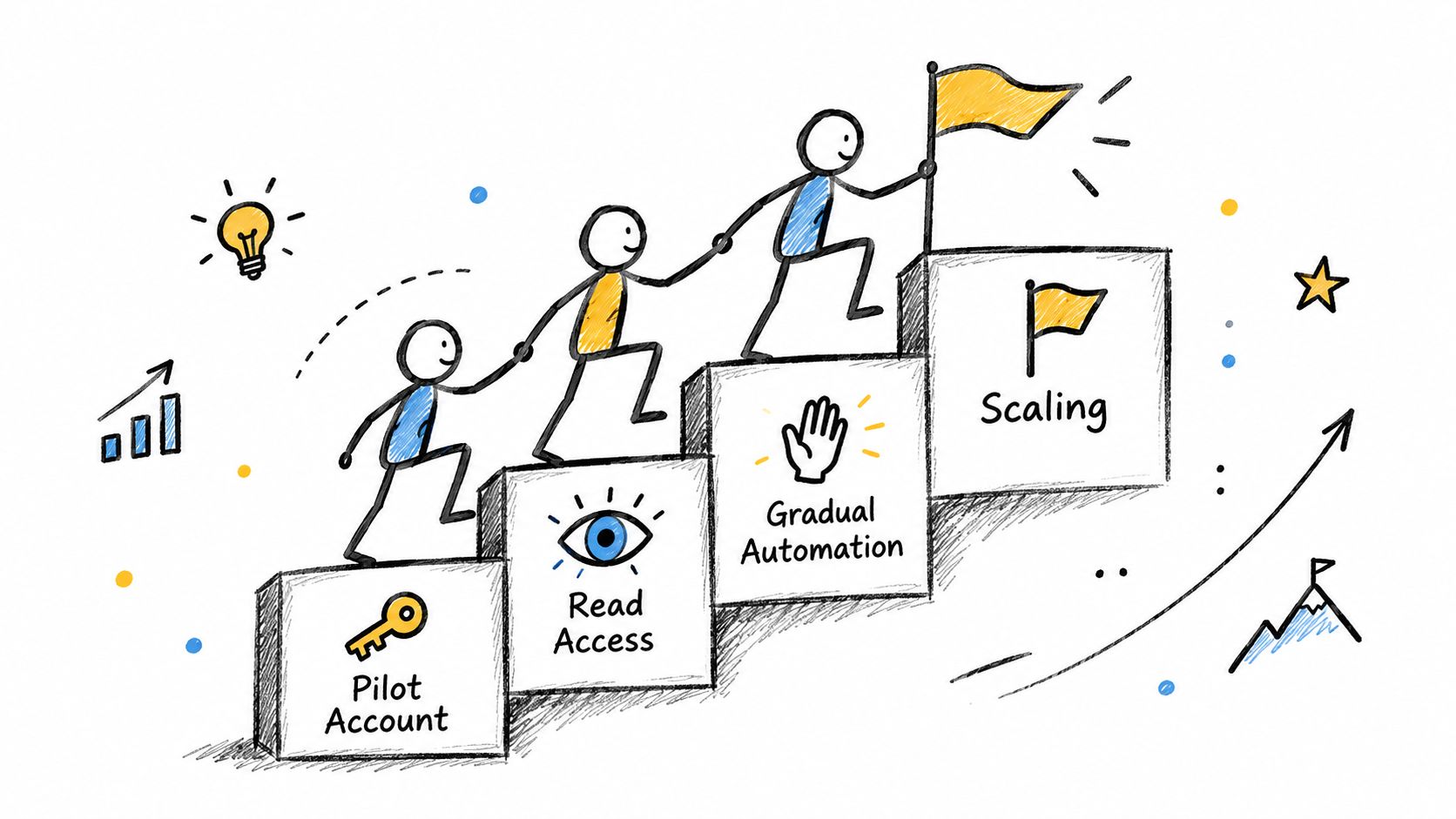
A small team doesn’t need to begin by handing an agent write access across every account. Start with a stable pilot account, define what the agent may see, and make it prove its judgment before it gets permission to change anything.
Start with read access and clear rules
First, connect one account with steady campaign activity and give the system read access only. Check that it identifies the right campaigns, reflects the platform’s current state, and can explain the evidence behind its recommendations. Keep writes disabled while the team tests how it handles ambiguous requests and incomplete data.
Next, write down the playbook the agent should follow. Define which campaign types it may discuss, what counts as a sensitive change, and which actions require approval. Include clear rules for budget limits, targeting restrictions, and brand requirements. If the playbook lives only in someone’s memory, the agent can’t apply it consistently.
Move from proposals to bounded writes
Run the agent in propose-only mode for a period your team can review consistently. Compare its recommendations with the actions a buyer would have taken, and record disagreements. Don’t promote the system because it produces confident answers. Promote it when the recommendations are understandable, correctly scoped, and aligned with the team’s policies.
Then allow only low-risk writes, with new campaigns and ads starting paused. Keep actions such as budget changes behind approval until the team has a reliable review process. Consider creative or targeting-adjacent changes only after the team is comfortable auditing the earlier action types.
For every action, keep a record of:
- Request and requester: What the team asked for, and who initiated it.
- Account and entity: Which account, campaign, ad set, or ad was affected.
- Proposed and final change: What the system suggested and what it did.
- Approval and result: Who approved the action and what happened afterward.
- Recovery details: How the team can reverse or correct the change if needed.
Small teams benefit from a rollout they can observe and explain. Each new permission should follow evidence from the previous stage, not pressure to automate everything at once.
Why Governance Is the Real Product
Teams often ask which system has the smartest model. For live advertising, a more useful question is whether the system can show exactly what it changed, keep the agent inside a narrow write scope, and help the team reconstruct an incident.
Governance isn’t paperwork around the product. It’s what makes execution usable. Paused-by-default creation, restrictions on high-impact edits, and a permanent activity record give account owners, clients, and finance teams a way to understand and control automated work. If a tool moves quickly but can’t explain its actions, speed is a liability.
For a practical comparison of the operating tools involved, see this guide to ad account management tools. Keep the buying test simple: check what the agent can read, define what it may write, and verify that every action leaves a record a human can interpret.
AdCrunch connects Meta, TikTok, and Google Ads to agents in Claude, ChatGPT, and Cursor, with server-side execution for supported actions and a permanent activity log. If you’re evaluating an execution layer for multi-account campaigns, visit AdCrunch to see how its controls and workflows fit your team’s operating model.